
Four days ago a car drove up a curved ramp in Texas, fired a ring of thrusters and flew over five other vehicles before settling back onto the pavement. Within hours, people were asking the same question in every comment section: was that real, or was it AI? And almost immediately after that, a second question took over: can I make my car do that?
That second question is the whole "make my car fly" trend. Feeds are now full of ten-second vertical clips in which someone walks up to an ordinary hatchback, minivan or pickup, gets in, shuts the door, and watches as boosters ignite under the rear bumper and the car lifts off into the sky. None of those cars can fly. All of those clips are AI.
This guide explains where the trend came from, how a make my car fly AI tool actually builds the shot, what separates a convincing AI flying car effect from an obvious fake, and how to make your own clip without wasting money on bad renders. We use RoadsterAI, a template site built specifically for this effect, as the main worked example because it shows clearly how much of the hard work a dedicated template removes.
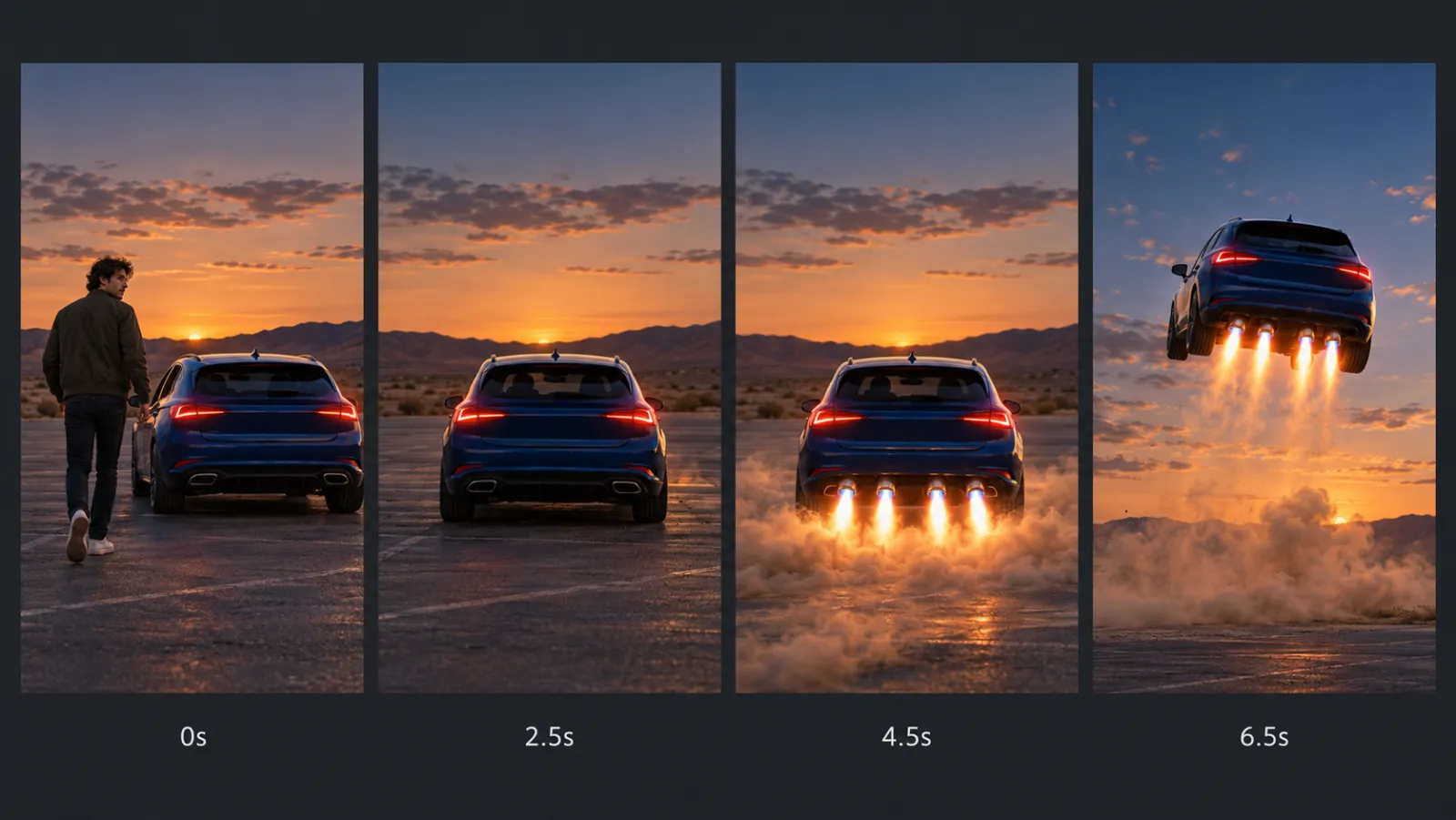
Illustration created for this article: the four beats of a typical make my car fly clip, from walk-up at 0 seconds to lift-off at 6.5 seconds. The person and car are fictional.
Quick answer: To make your car fly with AI, you need two photos: one of your whole car and one of yourself. A make my car fly AI template animates them into a single continuous vertical shot where you get in, boosters ignite and the car takes off. Dedicated tools such as RoadsterAI do this without a prompt and return a 10-second 9:16 MP4 in a few minutes. The result is AI-generated, so label it when you post.
A note on sources: product details, prices and credit costs below were checked on roadsterai.video on October 19, 2026 and can change. Details of Tesla's demo come from the news coverage linked in the next section. Our editorial policy explains how we handle claims like these.
Where the "Make My Car Fly" Trend Came From
The trend has a very specific trigger. On October 15, 2026, Tesla finally showed the second-generation Roadster, a car first announced in 2017 and delayed many times since. Instead of a normal reveal, the company staged a stunt at a SpaceX test site near Waco, Texas. According to TechCrunch's report on the event, the unmanned prototype drove up an inverted ramp, spun around and landed on the pavement below, using a combination of high-powered fans and cold-gas thrusters fed by compressed-air tanks. It cleared a Cybercab, a Cybertruck, a Semi, a Model Y and a Model 3 along the way.
A few details from the coverage matter for understanding the AI trend that followed:
- It was real. NBC News reported that Musk told the audience the demo was not AI. The car was a physical prototype, not a render.
- It was a hop, not a flight. The car left the ground briefly. Nobody has shown sustained, controlled flight, and the flying version is not approved for public roads.
- It was unmanned. Nobody was in the car during the stunt.
- It is not for sale yet. Tesla says production starts in 2028. It is taking reservations, but no final price was announced.
That combination created the perfect conditions for a meme. The real footage looked so unreal that many viewers assumed it was generated. Meanwhile, the car itself was out of reach for almost everyone. The natural next step was to borrow the visual language of the demo and apply it to the car already parked in your driveway. Within days, "make my car fly AI" and "make your car fly AI" had become searches in their own right, and template sites appeared to serve them.
What the AI Flying Car Effect Actually Is
It helps to be precise about what people mean by the AI flying car effect, because there are really two different looks circulating under the same name.
The ramp stunt. This is the closest copy of the Tesla demo. A single photo of a car becomes a clip of that car climbing a curved ramp, going over the top, flipping and landing on thrusters. There is no person in the shot. It is a car video.
The make my car fly shot. This is the version that made the trend personal. It needs two photos, one of the car and one of its owner, and it tells a tiny story in one continuous take: the owner walks up, glances back at the camera, gets in, shuts the door, and only then do the boosters fire and the car rises nose-first into the sky. The owner's face and clothes and the car's real paint and shape are what make people stop scrolling. It is recognizably your car and you, doing something impossible.
Both looks share the same visual grammar, borrowed loosely from the real demo:
| Element | Real Tesla demo | AI make my car fly clip |
|---|---|---|
| Car | Tesla's prototype Roadster | Whatever car is in your photo |
| Occupant | Nobody | You, generated from your portrait |
| Lift | Fans and cold-gas thrusters | Glowing rocket-style boosters under the rear |
| Setting | A SpaceX test site | Wherever the model places it, usually an open lot or road |
| Length | A long livestream | About 10 to 12 seconds, vertical |
| What it proves | A real hardware stunt | Nothing; it is a visual effect |
That last row is the important one. A make my car fly clip is a special effect, in the same family as a movie poster or a superhero filter. It is fun because everyone knows it is not real.
How a Make My Car Fly AI Tool Builds the Shot
Under the hood, these tools are image-to-video generators wrapped in a fixed template. You never see the prompt, but there is one, and it is doing a lot of work.
A modern video model such as Seedance takes reference images and a text description and generates a short clip that is consistent with both. A general tool asks you to write that description. A template tool has already written and tested it, which matters because this particular shot is surprisingly hard to prompt well. A good make my car fly AI template has to solve several problems at once:
- Rebuild the parts of the car the photo cannot see. The best car photo is a front three-quarter view, but the shot is filmed from behind. The model has to invent the rear bumper, tail lights and exhaust in a way that matches the front. This is the single hardest part of the effect for any tool, and it is why rear details sometimes differ slightly from the real car.
- Keep the car the same car. Over ten seconds, the paint, body lines and wheel design should not drift. Cheap prompts often turn a sedan into a generic sports car by the time it leaves the ground.
- Keep your face your face. Your likeness comes from one portrait. The model has to carry it through a walk, a glance and getting into the car without the face melting or changing.
- Get the order of events right. The door should close before the boosters fire. In unguided generations, cars often take off with the door open or with the person still outside.
- Avoid the obvious tells. Wheels should stay wheels rather than folding into hover pads, there should be no garbled text on screen, and brand badges should not mutate into nonsense letters.
A template encodes all of that once, so every user benefits from the same tested instructions. That is the practical difference between "make your car fly AI" as a dedicated template and "make your car fly" as a prompt you type into a general video app. You can absolutely get a flying-car clip from a general tool, but you will usually spend several renders, and several rounds of credits, iterating on the prompt.
A Closer Look at RoadsterAI
RoadsterAI is an independent site built around exactly these two looks, and it is a good example of what a focused make my car fly AI tool looks like. It is not affiliated with Tesla, and it says so plainly. Any car works, not just Teslas.
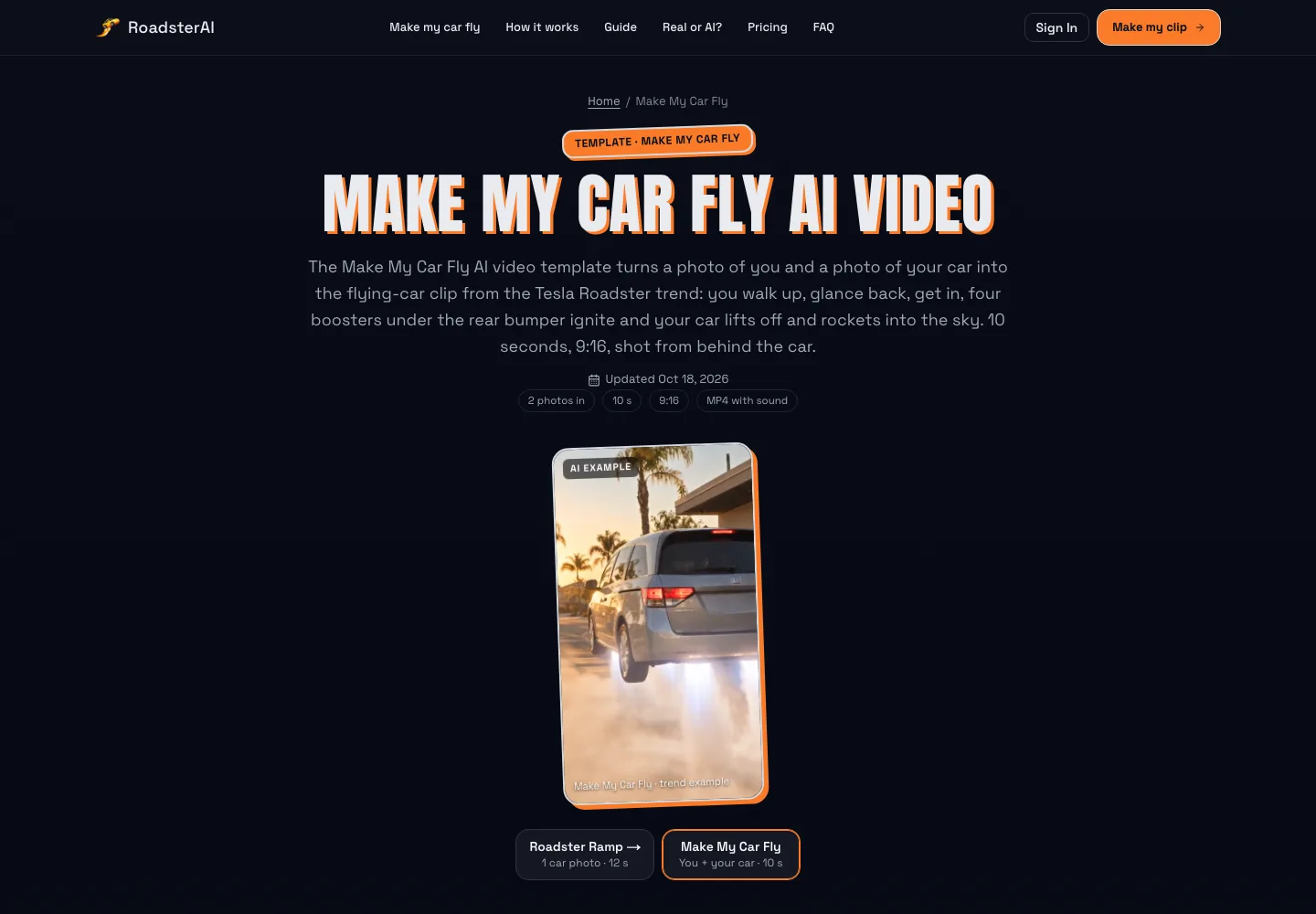
Screenshot of the roadsterai.video Make My Car Fly template page, taken October 19, 2026, with its AI example clip of a minivan lifting off on rear boosters.
The site offers two templates:
- Make My Car Fly: two photos in, one 10-second vertical clip out. You walk up, look back, get in and shut the door; four boosters ignite under the rear bumper and the car lifts off nose-first and flies away. The clip includes footsteps, the door, the engine and the boosters, with no music or voice-over, so you can add your own track.
- Roadster Ramp: one whole-car photo in, one 12-second clip out. The car climbs a curved ramp, goes over the top, flips once, fires thrusters and lands in a cloud of smoke. You do not appear in this one.
Both produce a 9:16 MP4 with no watermark, filmed as one continuous shot with no cuts. The car keeps its body shape, paint, wheels and lights from your photo, while badges and lettering are removed and the plate stays blank. That last detail is deliberate: readable logos and plates are both a legal headache and a common source of AI artifacts.
Models, resolution and timing
Make My Car Fly runs on two model options. Standard uses Seedance 2.0 Mini and is the cheaper choice for a first try. Pro uses Seedance 2.5 for higher fidelity. Roadster Ramp always runs on Seedance 2.5. Each template renders at 480p or 720p, and a render takes several minutes, longer when the service is busy.
The site is unusually open about the model choice, which we appreciate. As a team that writes about Seedance video generation every day, we can say the split makes sense: a lighter model is fine for testing whether your photos work, and the larger model is worth paying for once you know they do.
Credits and pricing
RoadsterAI uses credits, and the maker shows the total before you render. At the time of writing:
| Template and model | 480p | 720p |
|---|---|---|
| Make My Car Fly, Standard (Seedance 2.0 Mini) | 10 credits | 22 credits |
| Make My Car Fly, Pro (Seedance 2.5) | 20 credits | 44 credits |
| Roadster Ramp (Seedance 2.5) | 10 credits | 25 credits |
Credits come in one-time packs that never expire, starting at $9.99 for 10 credits (one 480p Standard clip) and scaling down in per-clip cost on larger packs, or in monthly plans from $29.90 for 70 credits. If a render fails or is blocked by a safety check, the credits return to your balance automatically. You can compare the current options on the RoadsterAI pricing page.
Is Make My Car Fly AI Free?
This is the most common question around the trend, so it is worth a straight answer. On RoadsterAI, no: new accounts do not get free credits, and every clip is paid. The site says this openly rather than hiding it behind a "free" headline, which is more honest than many AI tools manage.
Across the wider market, "free" usually means one of three things:
- A welcome bonus that does not cover a full clip. Some apps give new users a handful of credits, but the make my car fly template costs more than the bonus.
- Daily free credits on a general video tool. These can work, but you will be writing your own flying-car prompt and may need several attempts to get a clean take-off.
- Template editors that do not generate anything. Some popular video editors offer car "templates" that rearrange footage you already have. They cannot make a car you photographed actually leave the ground.
Video generation is expensive to run, which is why truly free, high-quality, watermark-free versions of this effect are rare. If you only want one clip for a single post, a single paid render on a dedicated template often ends up cheaper than burning a week of free credits on prompt experiments. If you want to understand the trade-offs in more detail, RoadsterAI has an honest breakdown of whether make my car fly AI is free that compares several options.
How to Make Your Car Fly With AI: Step by Step
Here is the workflow we would recommend to a friend. Tool names follow RoadsterAI, but the photo advice applies to any make my car fly AI tool.
Step 1: Take the right car photo
Your car photo decides more about the final clip than any setting. Park somewhere open, away from other cars, in daylight. Stand back far enough that the whole car is in frame, including all four wheels and every corner. A front three-quarter angle, roughly 45 degrees off the nose, is the best single view because it shows the front, one side and the overall proportions. The rear will be rebuilt from it.
Avoid close-ups, cropped bumpers, top-down shots, interior shots and photos taken at night. If you already have an edited or filtered photo, use the original instead; filters confuse the model about the real paint color.
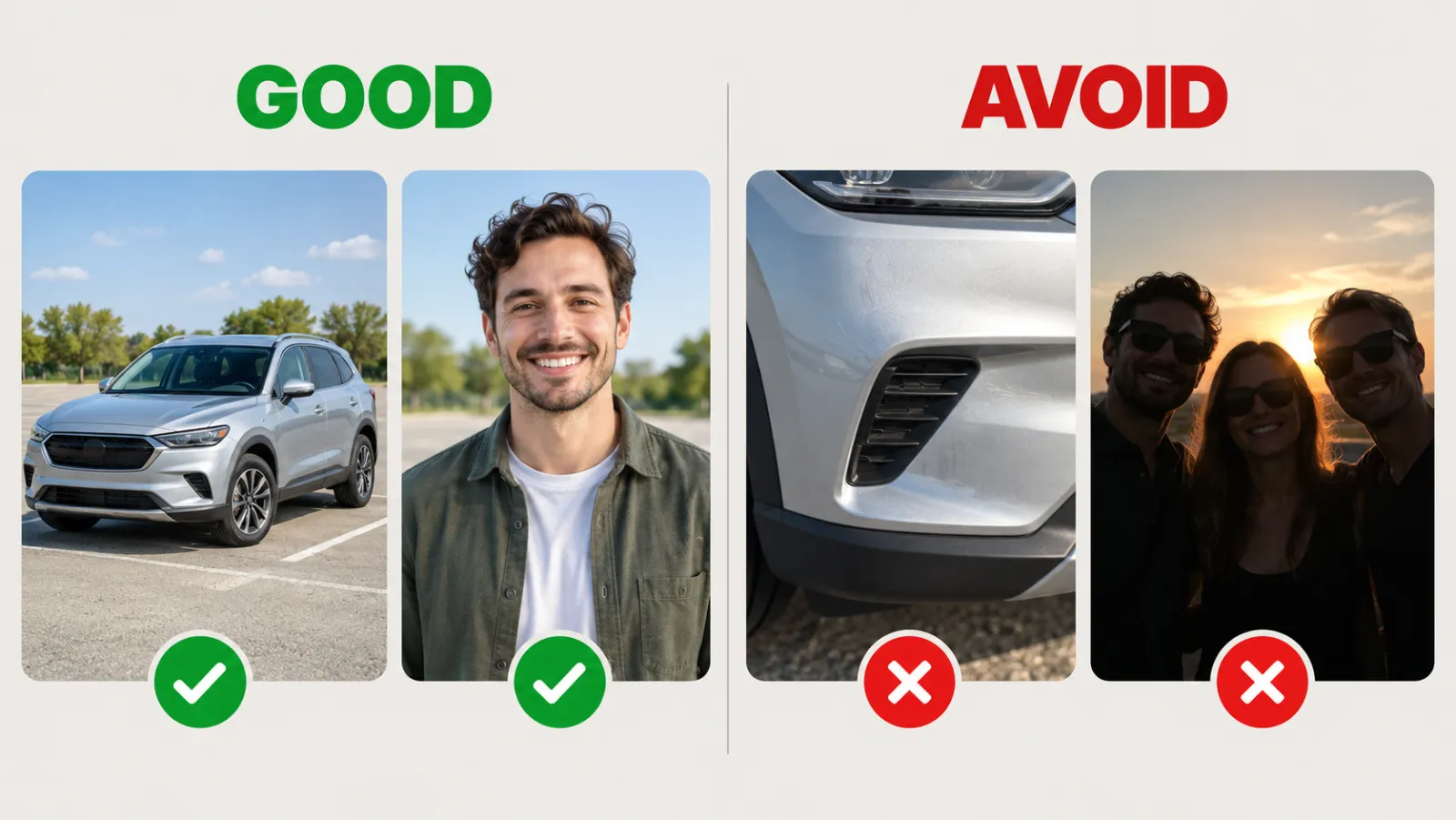
Illustration created for this article: a whole car at a three-quarter angle and a clear daylight portrait work well; a cropped bumper and a dark group photo with sunglasses do not. People and cars shown are fictional.
Step 2: Take the right portrait
For the make my car fly shot, you also need a photo of yourself. Use a photo of only you, facing roughly toward the camera, in daylight, from at least the waist up. Sunglasses, hats pulled low, heavy shadows and group photos all make your likeness less accurate, because the model has less of your face to work from.
Use only your own photos, or photos of an adult who has agreed to be in the clip. Reputable tools block photos of minors and public figures, and you should not try to work around that.
Step 3: Choose the template and model
If you want to appear in the clip, choose Make My Car Fly. If you only want the car, or you would rather not upload a portrait, choose Roadster Ramp. For a first attempt, the Standard model at 480p is the cheapest way to check that your photos produce a good likeness. Once you are happy, render again at 720p, or on the Pro model, for the version you actually post.
Step 4: Render and review
Rendering takes a few minutes. When it finishes, watch the clip at least twice before you post it. Check:
- The car's shape and color. Does it still look like your car from start to finish?
- The rear. Tail lights and bumpers are rebuilt, so small differences are normal. A completely different rear is a sign your car photo was too cropped.
- Your face. Does it stay consistent through the walk and the glance back?
- The sequence. The door should close before the boosters fire.
If something is clearly broken, most dedicated tools refund failed renders automatically and handle broken finished clips through support. RoadsterAI's step-by-step guide to making your car fly covers the same checks in more depth, including the photo mistakes that cause most bad results.
Step 5: Post it the right way
Download the MP4 and add your own audio if you like. Because the clip looks realistic, turn on the AI label when you post. TikTok, Instagram and YouTube all ask creators to disclose realistic AI-generated video, and the label also protects you from the "is this real?" pile-on that the actual Tesla demo received.
Five Mistakes That Ruin an AI Flying Car Clip
Most disappointing results come from the same handful of mistakes:
- Cropping the car. If the photo cuts off a bumper or a wheel, the model guesses, and guesses look wrong. Always show the whole car.
- Shooting at night. Low light hides body lines and shifts paint color. The flames look better at dusk, but the input photo should be in daylight.
- Using a group photo. The model has to decide which person is you. Give it one face.
- Expecting a perfect rear. Rebuilding an unseen angle is the hardest part of this effect for every tool. Accept small differences, or take your car photo from a rear three-quarter angle if the rear matters most to you.
- Skipping the label. A realistic AI clip without a label invites confusion and, on some platforms, reduced reach.
Creative Ways to Use the Make My Car Fly Effect
The trend started as a reaction to the Tesla demo, but the format works for more than jumping on a meme.
- New car reveals. Just picked up a car? A clip of you getting in and launching it into the sky is a far more memorable announcement than a photo in the dealer lot.
- Car clubs and meets. Members can each render their own car and post the set together, which works well as a carousel or a fast-cut compilation.
- Couples and friends. Two people with two cars can post matching clips, or one person can render the shared family car.
- Profile and channel intros. A short take-off works as an opening sting for car-focused creators.
- Small businesses. Detailers, wrap shops and dealers can show a finished car in a playful way, as long as they have the owner's permission and label the clip clearly.
In every case, the rule is the same: use photos you own or have permission to use, and make it obvious the clip is an effect, not a stunt.
Real or AI? How to Tell the Difference
Ironically, the most viral part of this trend is the confusion it creates. The real Roadster demo looked like AI, and the AI clips look real enough that some people share them as if they were news. A few practical checks help:
- Look at the source. The real demo came from a Tesla livestream and was covered by major outlets. A random clip of a family SUV lifting off is not news.
- Look at the car. Tesla's demo used a Roadster prototype. If the car in the clip is anything else, it is a remake.
- Look at the occupant. Nobody rode in the real demo. A clip in which someone climbs in before take-off is, by definition, a recreation.
- Look at the label. Responsible creators mark AI clips, and the major platforms provide a toggle to do it.
RoadsterAI publishes its own explainer on whether the flying Tesla Roadster video is real or AI, which is worth reading if you are seeing the clips everywhere and want the background. Keep in mind that it is published by a company that sells the effect, so cross-check the key facts against the original news coverage.
Frequently Asked Questions
What is make my car fly AI?
It is an AI video effect that turns a photo of your car, and usually a photo of you, into a short vertical clip in which you get into the car and it takes off on rocket-style boosters. It became popular after Tesla's flying Roadster demo on October 15, 2026.
Does my car have to be a Tesla?
No. Any car, SUV, van or pickup works. Dedicated templates such as RoadsterAI's work with any whole-car photo and remove badges from the output.
How long is a make my car fly clip?
On RoadsterAI, the Make My Car Fly clip is 10 seconds and the Roadster Ramp clip is 12 seconds. Both are vertical 9:16 MP4 files with sound and no watermark.
Can I make my car fly with AI for free?
Sometimes, but rarely with a ready-made template. General video tools with daily free credits can produce a flying car if you write and refine your own prompt. Dedicated templates like RoadsterAI are paid but need no prompt, and failed renders return their credits.
Can I use a photo of a friend or their car?
Only with their permission, and only if they are an adult. Do not use photos of children, celebrities or other public figures, and do not present the clip as real footage.
Was the Tesla Roadster flying video AI?
No. Tesla's October 15, 2026 demo used a real prototype, and Musk told the audience it was not AI. The flood of clips showing everyday cars flying afterward are AI recreations.
The Bottom Line
The make my car fly trend is a neat example of how fast AI video now moves. A real, slightly absurd hardware stunt happened on a Thursday, and by the weekend anyone with two photos could put themselves and their own car into the same moment. The effect is not hard to make anymore. The difference between a clip that gets laughs and one that gets scrolled past comes down to good input photos, a template that gets the sequence and the car's identity right, and an honest AI label.
If you want to try it with the least friction, make your car fly with RoadsterAI: start with a whole-car photo in daylight and a clear portrait, render a 480p test, and only pay for the high-resolution version once you like what you see.