
Seedance 3.0 Showcase: Start Frames for AI Video
Stills built in Seedance 3 image mode to animate with Seedance 1.5 Pro, Veo 3.1 or Sora 2. Seedance 3.0 is unreleased, so none of these came from it.
Stills That Make Strong First Frames
Every image below is a still from an image model, not a rendered video. Open one as a guide, build your own version, then pass it to a video model as frame one.
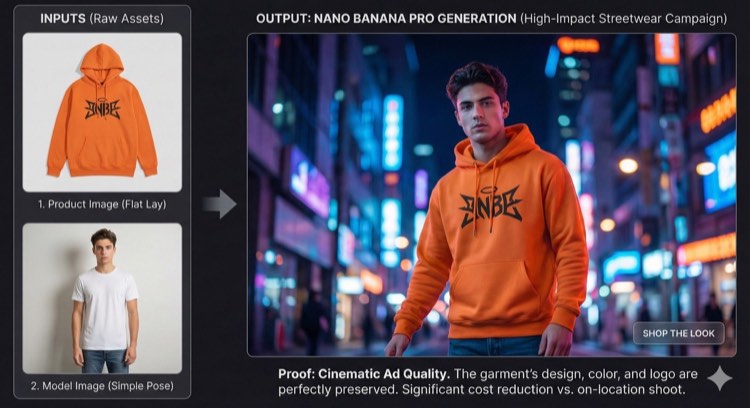
Hoodie Flat Lay to Street Campaign
A product photo and a plain model shot combined under neon city lights
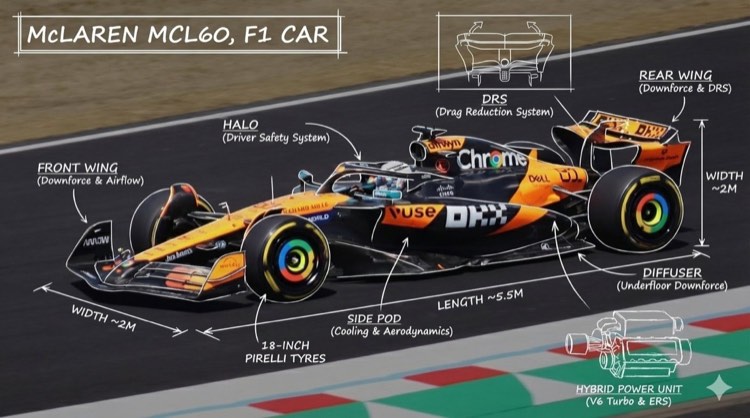
Annotated Race Car Breakdown
A side view of a racing car with sketched labels for wings, halo and tyres
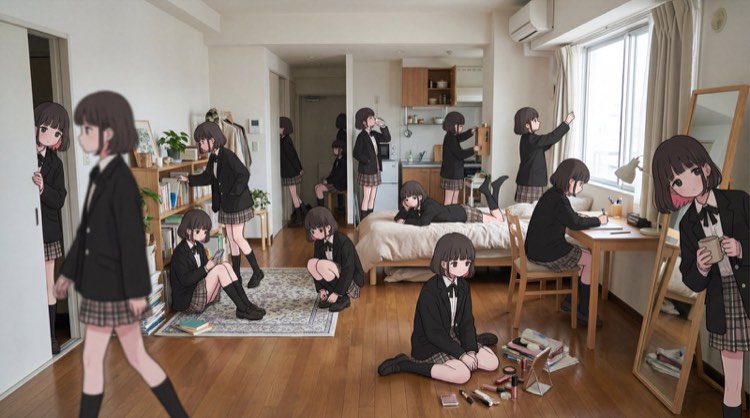
Same Girl, Twenty Moments
One anime character repeated through a bright apartment in different poses
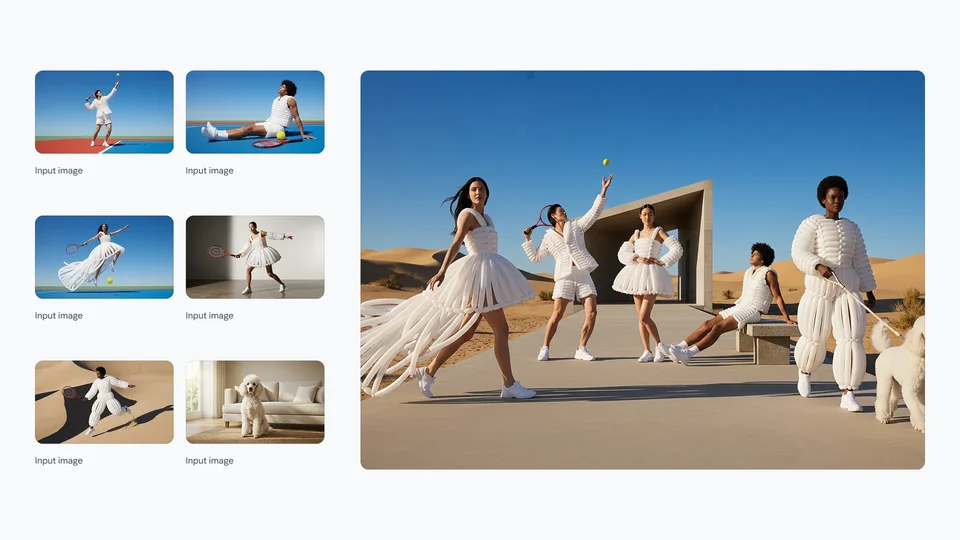
Six References, One Desert Shoot
Separate input photos brought together into one fashion group image
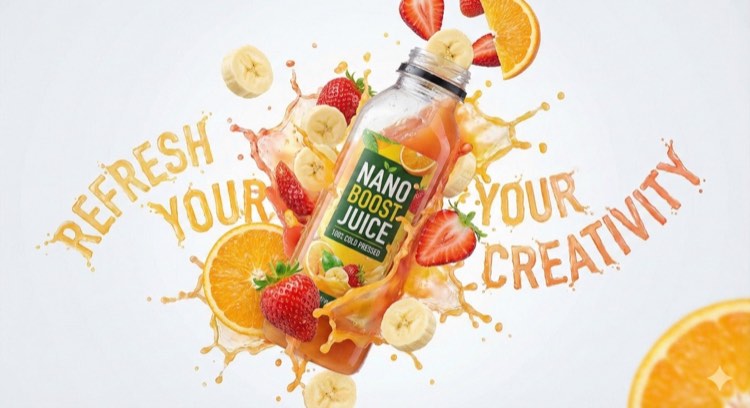
Juice Bottle Splash Poster
A bottle mid-air with fruit, spray and lettering formed from juice
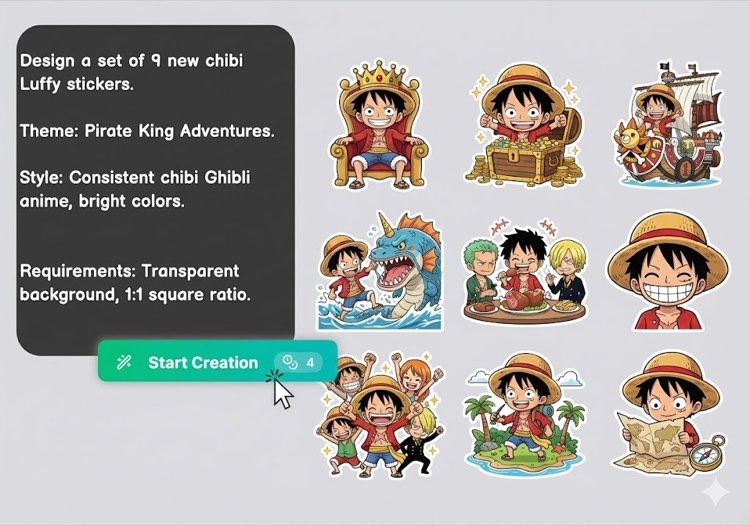
Nine-Sticker Set From One Brief
A full chibi pirate sticker sheet produced from a single written request
Using these stills in a video workflow
None of these images is a promise of what a video model will return. Treat each one as a setup to study: subject placement, light direction and free space in the frame. Rebuild that setup with your own material, then write a brief motion prompt before choosing a model.
Packshots and poster-style ads
Motion exaggerates flaws, so fix blurry label text and messy edges in the still first. Ask for one gentle move such as a slow dolly toward the product, test it on a cheap Seedance 1.5 Pro 480p pass, and only then spend more credits at higher resolution or on Veo 3.1.
Characters and fashion shots
Video models rebuild faces and clothing on every frame, so a well-lit subject who faces the camera keeps its identity longer. Give the person a single action, like a head turn or a step forward, and choose 9:16 or 16:9 before rendering so the crop does not cut the outfit.
Flat art, labeled diagrams and sticker sheets
Flat artwork and small labels are the hardest material to animate without warping. Keep text out of areas that will move, request subtle effects such as floating particles or a slow pan, and respect the rights of any characters or artwork you start from.