
A still that is the wrong shape stops a video before the model ever runs. A portrait with the hair against the top edge cannot become a 16:9 thumbnail without cutting the face, and a landscape with no sky cannot become a 9:16 story without letterboxing or a crop that throws the subject away. People search for that fix under five labels that sound like different products: Uncrop AI, Uncrop Image Online, AI Image Expander, AI Photo Expander, and Free AI Image Extender. They are one job. The file is already a photograph. The missing piece is canvas around it.
This is the how-to for doing that job on Uncrop AI, the browser editor at uncropai.pro. On November 2, 2026 we read the homepage, the pricing page, the how-to, and the comparison of uncrop, outpainting, and generative fill. We did not upload a photo or spend a credit, so anything below about seams, wait time, or a finished face is the site’s own wording, not a result we generated. Prices and canvas limits can change. If this article and the number on the Generate button disagree, the button is the one attached to your account. Our editorial policy is how we treat a vendor’s claims when we have not run the paid job.
Quick answer: If a larger original still exists, revert the crop in the app that made it. If it does not, open Uncrop AI, upload a JPG, PNG, WebP, or HEIC up to 50 MB, and set a ratio or a custom size. Fast costs 10 credits and draws the new area at 1536 pixels on the long side. Pro costs 20 credits and draws it at 2048. A frame that grows both wider and taller is two passes and costs twice as much. New accounts get 15 credits for 30 days, which covers one single-pass Fast run. The original photo is laid back on top. The new margin is generated. It is not the scene the camera missed.
What Those Five Searches Are Asking For
Start with the verb. Uncrop AI names a product and a direction: add picture outside the current border, rather than cut picture away. Uncrop Image Online names the place the work happens, a browser, with no desktop app to install. AI Image Expander and AI Photo Expander name the same operation in the language of a layout: the image has to become wider, taller, or both, and a person or a product has to survive the change. Free AI Image Extender is the price question hiding inside the task. It does not describe a different algorithm. It asks whether the first try costs money.
None of these queries is an upscaler, and none of them is a request to replace an object inside the frame. Upscaling invents detail inside the pixels you already have. Inpainting, or generative fill, invents pixels in a hole you select. Padding adds a flat or blurred bar and invents nothing. An AI photo expander grows the canvas. Uncrop AI’s own comparison, updated October 3, 2026, puts those four operations in one table and treats “uncrop” and “outpainting” as the same practical job under two names. The homepage says the subject stays in place. That sentence is the product. A tool that redraws the person in order to widen the room is a different tool, even if the marketing uses the same words.
The name is also crowded. In June 2023 Stability AI shipped an outpainting feature it also called Uncrop, powered by Stable Diffusion XL, and PetaPixel’s report quoted the company warning that results are less reliable when a lot of the picture is missing. That 2023 feature is not uncropai.pro. Read the hostname before you read a credit price. This guide stays on the site we opened.
Recover the Crop Before You Generate One
“Uncrop” is two procedures, and only one of them needs a model. Uncrop AI’s how-to, updated October 3, 2026, asks a single question first: does a larger version of this photo still exist?
If you cropped inside Google Photos and did not save a separate copy, Edit and then Revert can return the pixels the crop hid. Google’s own help says a saved copy is a new file, and the crop on that copy has nothing behind it to restore. On an iPhone, Photos can revert to the original even after an edit has been saved. On a Mac, Image and then Revert to Original does the same, because Photos keeps the master. Those steps are the honest uncrop. They put back light that a sensor recorded.
If the file on your desk is all you have, or the photographer framed the shot tight in the camera, there is no hidden border to restore. An AI image expander then has to paint a border that was never captured. Boundless, the 2019 ICCV paper on generative image extension, treated that as a way to change aspect ratio, not as a way to retrieve the off-camera world. Palette, the 2021 diffusion paper, listed uncropping beside inpainting as a task a model can be trained to attempt. OpenAI’s outpainting announcement on August 31, 2022 described extending an image to a new aspect ratio. The research line is consistent, and so is the limit: the new pixels are a prediction. They are not a negative you forgot you had.
Use the revert path whenever it exists. Generating a street beside a portrait, when the real street is still in the camera roll, throws away evidence you already own. The rest of this piece is for the file that has no larger parent.
What the Expander Actually Returns
Uncrop AI describes the output in limits you can check before you press Generate. Upload JPG, PNG, WebP, or HEIC, up to 50 MB and 6,000 pixels on the long side. The editor opens the photo inside a larger canvas. You pick Original, 1:1, 16:9, 9:16, 3:2, 2:3, 4:3, 3:4, or 21:9, or you type a width and height. The long side of a custom canvas stops at 6,000 pixels, and the whole canvas stays under about 16.7 megapixels. Very large photos are scaled down to fit. You can drag the photo inside the frame so the new space falls on the side that needs it. Handles add space on any edge.
The model then paints the empty area. The how-to says Fast draws the whole frame at 1,536 pixels on the long side and Pro draws it at 2,048, while your own photo keeps its pixels inside that frame. When the result returns, the editor lays the original back on top at the canvas resolution and blends a thin strip along the seams. If the model’s redraw comes back at a slightly different scale, the editor scales that output back before the blend, so the subject keeps its position. That is a compositing claim, not a promise that every edge will be invisible. The site tells you to zoom the seam.
A few boundaries decide whether this is the AI photo expander you meant:
- The new area is a continuation of light, texture, and perspective. It is not a record of what stood outside the lens.
- Downloads do not carry an added watermark, and the file lands in My Creations.
- The editor runs in a phone browser as well as on a desktop. There is no app to install.
- A frame that adds space on the sides and also above or below runs as two passes. The panel shows that double cost before you generate.
- Failed generations return the credits they reserved. That return is a credit, not an automatic cash refund.
- Regenerate spends another run. A second look at the same frame is not free.
The homepage’s own examples of the job are a tight portrait that needs room for a team page, a product that needs a margin for a headline, a vertical travel photo that has to become a booking-page header, and a cramped interior or food shot that needs a calmer wide frame. Those are layout problems. They are a good fit when the thing you must protect is already inside the file, and the thing you are willing to invent is background.
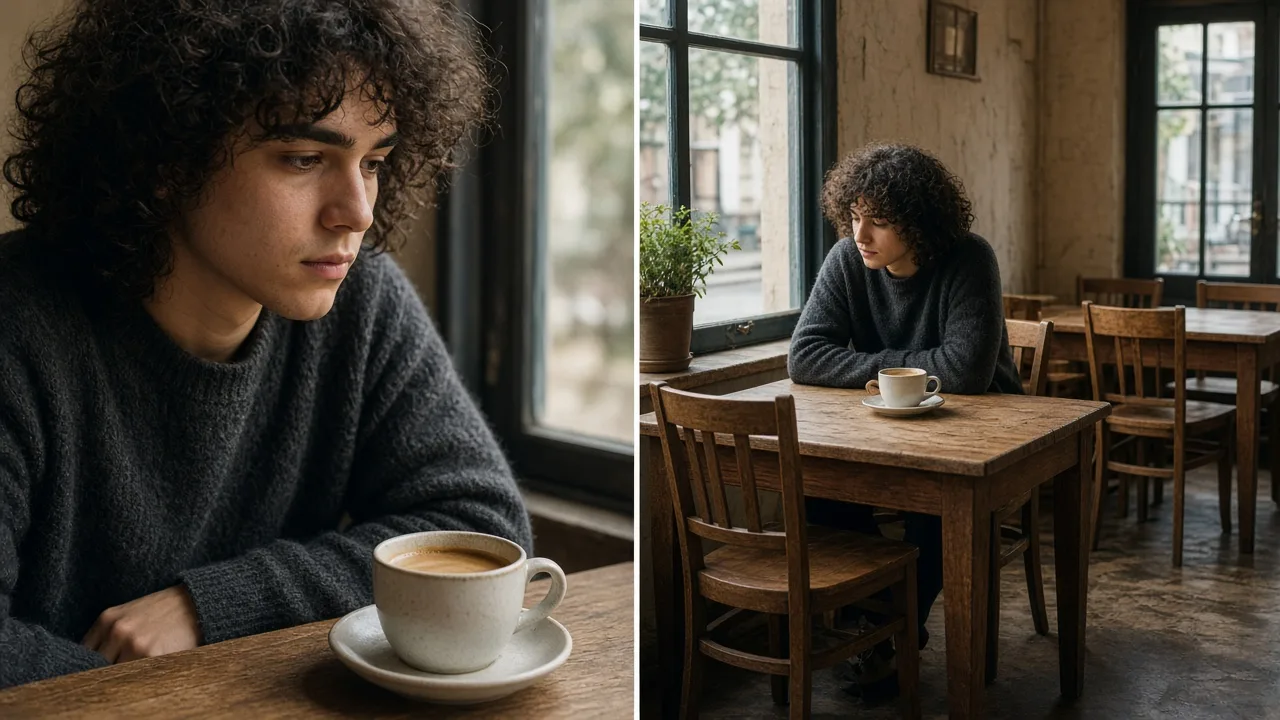
Illustration made for this article. The left frame is the kind of tight crop people bring to an expander, and the right frame is the kind of wider room they hope to get. It is not a screenshot of uncropai.pro and not a before-and-after from a render we bought.
How to Make the Wider Frame
The work happens before Generate, in the choice of which edge is allowed to be fiction.
Decide the destination ratio from the layout, not from taste. A 16:9 frame is a banner, a video thumbnail, or a widescreen header. A 9:16 frame is a story or a short. A 1:1 frame is a feed post. A 21:9 frame is a cinematic strip that will demand a lot of invented width. Uncrop AI’s how-to suggests a practical order: keep the long side of the photo you care about, and extend the short side. Their example turned a 900 by 1,200 portrait into a 1,600 by 1,200 landscape, so the original still covered 900 of the 1,600 horizontal pixels and the model filled the rest. That ratio of original to invention is the real brief. A jump that leaves the source as a small island in a huge canvas gives the model less edge to copy and more room to drift.
Add space on one axis first. The pricing page is explicit that growth in both directions is two passes and is charged as two. It is also a harder picture. A horizon that has to stay level while the frame grows up and sideways has two frontiers to get wrong. Make the horizontal banner, look at it, and only then buy the vertical extension if the layout still needs it. The editor shows the total before you confirm. Read it.
Keep cut objects off the seam. A hand, a shoe, a logo, or a line of type sliced by the old border is where a continuation fails first. The how-to says to drag the photo so that cut sits farther from the new area, or to crop a little tighter before you expand, so the model is continuing a wall, a floor, or a sky instead of inventing the rest of a finger. Text across an edge will not reliably complete the word. Repeating patterns, brick, and fabric are the next place to zoom. Straight architectural lines wander when the extension is large. Nothing in a single outpainting pass enforces one camera across a long new margin. If the first result bends a door frame, regenerate or ask for less width.
Choose Fast or Pro for the inspection you can afford. Fast is 10 credits. Pro is 20, and the site says Pro generates the new area at a higher resolution. Their published how-to shows Fast results and says a single-axis run took about 30 to 35 seconds on October 3, 2026, with one two-pass desk photo taking about 70 seconds. That is their timing on their account, on that model, that day. It is not a service level we measured. Use it as a hint that you should expect seconds rather than an overnight queue, and then trust the clock on your own run.
Zoom the seam, then download. Look at full size along every edge where the original meets the paint, and at the corners, which have the least neighboring evidence. The site’s own check is the same: if a seam is wrong, regenerate or move the photo. Do not publish a margin you have not looked at on a screen the size of the layout. A thumbnail hides a bent line that a hero image will show.
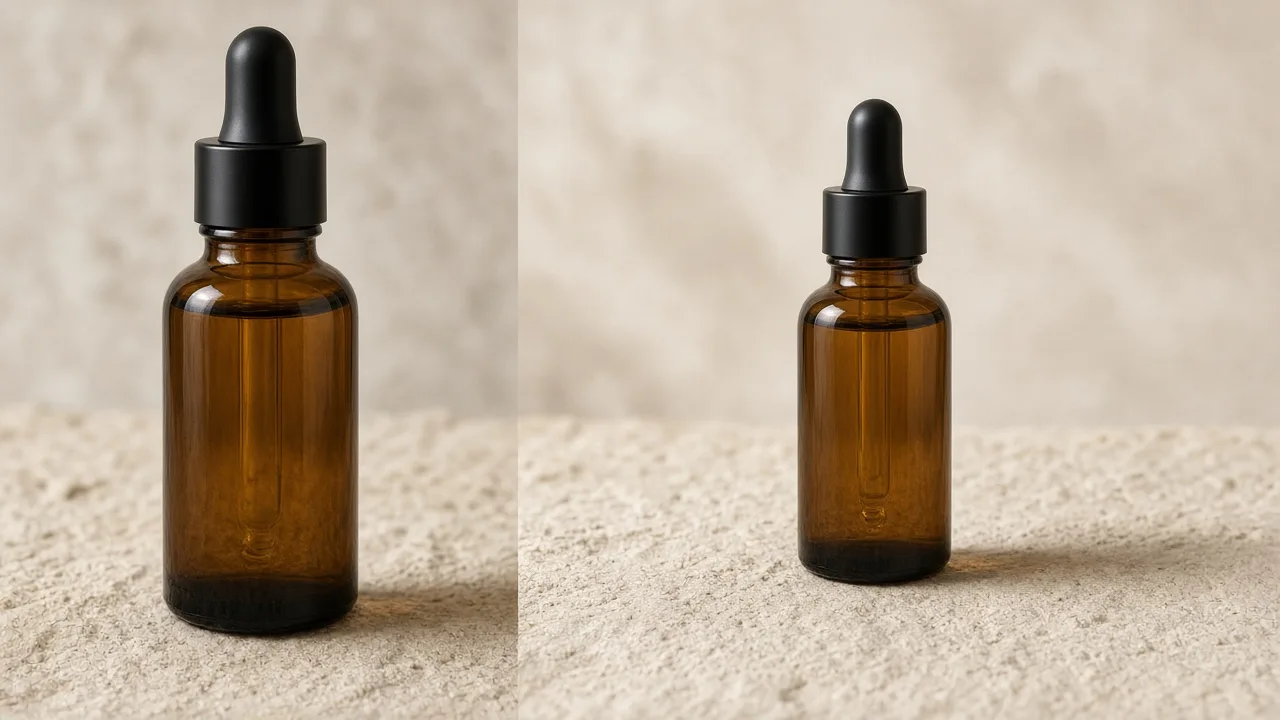
Illustration made for this article. It shows the product job the homepage describes: a tight packshot, then the same kind of object with surface and light continuing far enough to leave room for type. There is no headline in the picture, because the type belongs in your layout, not in the expansion.
Where the New Pixels Help a Video
Seedance 3, the studio publishing this article, turns text and stills into video. A still is often the start frame. If that still is the wrong shape, the video inherits the crop. Expanding the still first is a way to hand the video model a 16:9 or 9:16 plate in which the person or the product is intact and the extra room is background. It does not make the background true, and it does not make the later motion true. A generated street behind a portrait will move if you animate it. Viewers can still read that street as a place the person stood. If the clip is a story, a thumbnail, or an ad, say so in the caption when the margin could be mistaken for a location.
The same plate is a poor start frame when the invented area contains something the video must get right. A sign that was completed by the model, a second person who was not in the room, a product that gained a reflection it did not have: those details become motion, and motion is harder to audit than a still. Generate the still, reject it or accept it, and only then send the accepted file to a video model. Hoping the video pass will repair a bad seam usually spreads the seam across time.
There is a cheaper cousin of this job that invents nothing. A blurred copy of the photo, stretched behind it, is what many story templates already do. Uncrop AI’s comparison put gray bars, that kind of blur, and an AI extension side by side on one portrait. Bars are honest and look unfinished. Blur is safe and looks like blur. The extension looks like one photograph, and the street in it was not the street outside the lens. For a video background that should stay out of the way, blur can be the better picture. For a banner that has to read as a place, the extension is the picture, with the disclosure that comes with it.
What the Credits Buy
The pricing page, as shown on November 2, 2026, was on its annual view. These are the prices and credit totals printed there. A monthly toggle can show different numbers. Read the card you are about to pay.
| Annual plan | Price shown | Credits for the year | What the page says that covers |
|---|---|---|---|
| Starter | $4.90 a month, billed yearly, against a $9.90 list | 9,600 | Up to about 960 uncrops |
| Pro | $12.90 a month, billed yearly, against a $19.90 list | 24,000 | Up to about 2,400 uncrops |
| Studio | $35.90 a month, billed yearly, against a $44.90 list | 72,000 | Up to about 7,200 uncrops |
Those “uncrop” counts are the site’s arithmetic at 10 credits a Fast run. A Pro run is 20 credits, so the same balance covers half as many. A two-pass frame costs 20 on Fast or 40 on Pro. The FAQ also names monthly balances the estimator uses: 800 credits on a monthly Starter plan, which it says covers up to 80 Fast expansions, and 2,000 credits on a monthly Pro plan. A 3,000-credit Growth Package is the one-time size they use for a seasonal batch of about 150 Fast banners. We did not see a dollar price for that package on the annual cards, so this article does not invent one. Package credits do not start a subscription. The card states how long they last.
New accounts receive 15 credits, valid for 30 days. Ten of them buy one Fast expansion that grows on a single axis. They do not buy a Pro run, and they do not buy a frame that grows in both directions, because each of those is 20 credits. “Free AI Image Extender” in a search box usually means “let me see one result before I pay.” On this site, that is the 15-credit grant, not an unlimited free tier. After it, you buy a pack or a plan. The homepage also says there is a daily limit beside those credits. The pages we read did not print the daily number, so we are not going to guess it. If a button refuses a run you can afford, that limit is the thing to read.
Failed runs return their credits. Cash refunds are narrower. The pricing page says requests sent within 7 days of a first purchase or a first subscription charge are reviewed under the refund policy, and that accounts which have used much of what they bought may not qualify. The refund policy is the rule. Support for a charge goes to support@uncropai.pro from the account email, with the receipt or order ID.
Commercial use is not on every card. The page says all annual plans, the monthly Studio plan, and the Professional and Business packages list a commercial-use license, and that the terms describe what the license covers. A social test on free credits is not the same permission as a paid campaign. Read the plan you are buying. You still need the right to the photo you upload. An expansion does not create that right, and it does not make a generated background a place you can claim to have photographed.
When the Extension Should Not Ship
The how-to is blunt about the uses that should stay on the revert path, or on plain padding. Do not present an expanded file as an unedited photograph when the facts matter: news, evidence, identity documents, a product image that must match the item, or a property listing. Their comparison points at two public rules as examples, not as a complete legal memo. The EU AI Act’s Article 50 sets transparency duties for AI-generated or manipulated image content, with exceptions the regulation itself defines, and the article’s application date is a matter of that law, not of a blog. California’s AB 723, as their article describes it, requires a clear statement and a link to the unaltered image when a real-estate listing uses a digitally altered picture. This paragraph is not legal advice. If the photo is an ad for a place or a product, the invented margin is a claim about the world. Either disclose it or do not use it.
There is a craft version of the same rule. If the edge cuts through a face, a hand, or a word, you are asking the model to invent identity or language. It will often do something plausible and wrong. Move the seam onto background, or do not expand that side. If you need the original pixels and nothing else, use bars or a blur. Ugly and true beats pretty and false when someone might rely on the picture.
Who Should Make One
This AI image expander fits a layout that is blocked by a shape. A speaker photo that needs air above the head for a name. A product that fills the frame and needs a quiet side for a price. A vertical trip photo that has to become a 16:9 header without losing the building. A start frame that has to match a 9:16 video without cropping the person out. Someone who can look at a seam at full size and reject a run.
It fits poorly if you need the off-camera fact, a restored master from a destructive crop that no app still holds, a higher-resolution original with no new scene, or a free batch of two-axis Pro files. Fifteen credits are one Fast, one-direction try. It also fits poorly if the search that brought you here was for Stability’s 2023 Uncrop, or for Photoshop’s Generative Expand, or for a general prompt box. Those can extend a canvas too. They are not this editor’s credit counter, and an account on one of them is not an account here.
The five labels will keep arriving in the same afternoon. Uncrop AI, Uncrop Image Online, AI Image Expander, AI Photo Expander, and Free AI Image Extender are not five formats. They are five ways of asking for canvas around a photo you already have. The way through is short. Revert the crop if a larger original exists. If it does not, open the page, read the hostname, set the ratio from the layout, read the credit number, and decide whether a generated margin is something you are willing to label. When it is, the editor at uncropai.pro is built to paint that margin and put your photograph back on top, with no claim on the scene the camera never saw.