
Every few months a piece of short-form video stops being a clip and becomes a format. The Bulin 47 freestyle is the latest example. A Dominican dembow artist, a portable speaker, a friend with a phone and about fifteen seconds of pure improvised energy turned into something millions of people wanted to step into, and AI video tools made that literally possible.
This guide explains what happened, why this particular Bulin 47 viral video was so easy to remix, and how the "Bulin 47 AI" version works under the hood. It also walks through Bulin 47 AI, a browser-based tool built specifically for this template, and covers the practical and ethical details that most quick tutorials skip: photo quality, credits, audio, AI labels and consent.
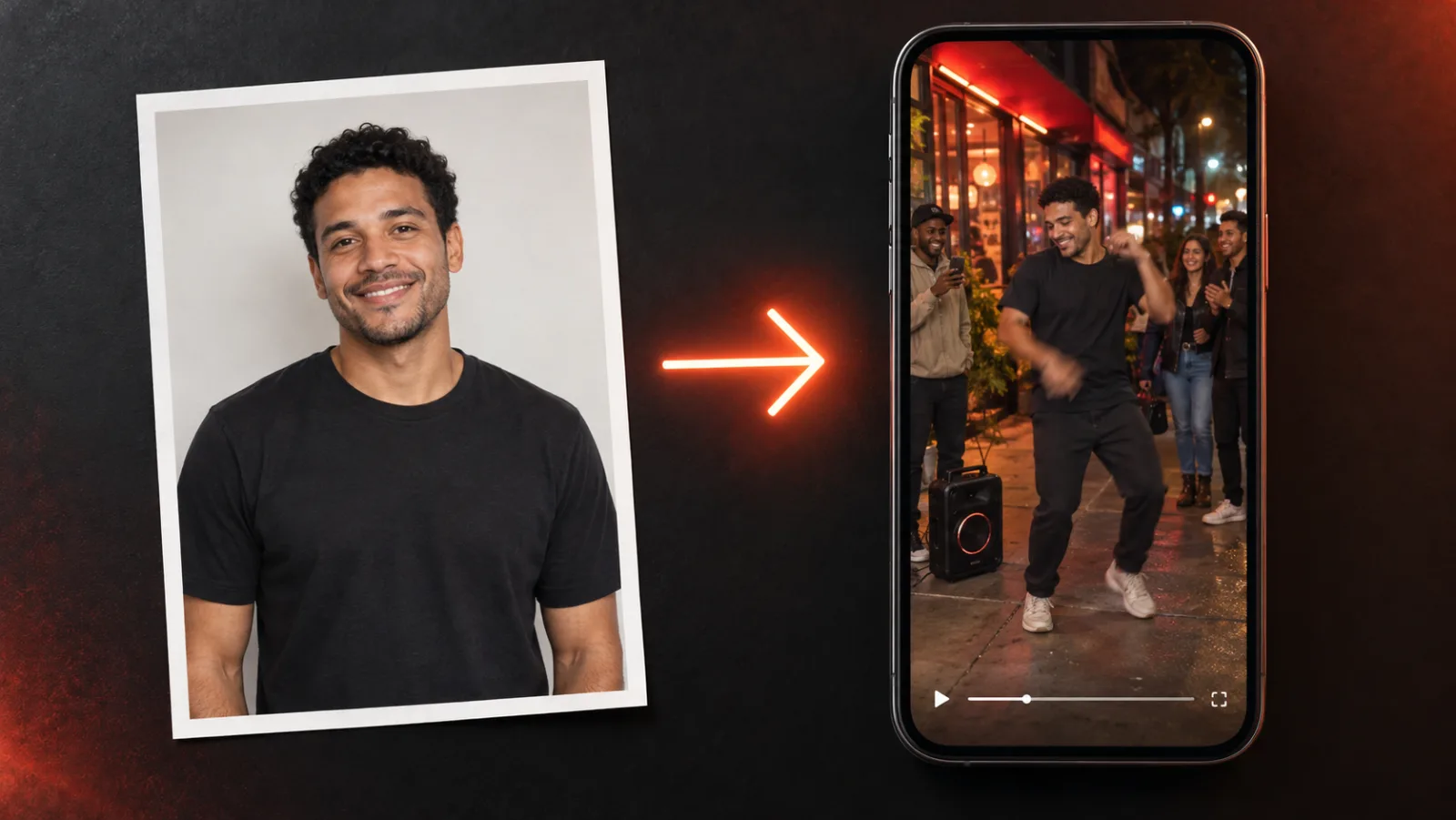
Illustration created for this article: a single front-facing portrait becomes a 9:16 freestyle clip. The person shown is fictional.
Quick answer: "Bulin 47 AI" refers to AI-made versions of the viral Bulin 47 × Kevin Wai dembow freestyle in which the original performer is replaced by someone else. The cleanest way to make one is a reference-video recast: you upload one clear photo, an AI video generator keeps the original clip's moves and camera, and you come out as the person in the middle. Bulin 47 AI does this in the browser with Seedance models, with clips from 5 to 15 seconds and credit packs starting at $9.99.
A note on sources: the background on the original clip draws on reporting from Latination. Product details, settings and prices were checked on bulin47ai.video on October 12, 2026 and can change. View counts quoted by different outlets disagree, so we present them as reported figures, not verified totals. Our editorial policy explains how we handle claims like these.
What Is the Bulin 47 Freestyle?
Bulin 47 is the stage name of Hancel Teodoro Vargas Reynoso, a Dominican urban and dembow artist who was already well known in Latin music circles before this moment, including collaborations such as "Wapae" with Tekashi 6ix9ine, Angel Dior and Lenier. Kevin Wai is the rapper who started the moment and is on the other side of the camera.
According to Latination, the moment was unplanned. Kevin Wai approached Bulin 47 as he was about to walk into a restaurant in Spain, holding a portable speaker that was already playing a heavy dembow beat. Instead of brushing it off, Bulin 47 leaned in and freestyled on the spot: quick, boastful bars about being recognized wherever he goes, delivered with big hand gestures and a grin, while people around them reacted and filmed.
That is the whole clip. There is no studio, no lighting rig, no edit. And that rawness is exactly why it worked.
Why this particular clip went viral
Plenty of artists post freestyles. Very few become templates. The Bulin 47 freestyle had a specific set of traits that made it spread:
- It is short and loopable. The memorable part fits inside a 15-second TikTok or Reel, so people watch it two or three times in a row.
- It is vertical and phone-shot. It looks like something anyone could film, which lowers the barrier to making your own version.
- The performer stays centered. For most of the clip, the person rapping holds the middle of the frame. That composition is ideal for recasting, because there is one obvious "slot" to put someone else in.
- The energy is the hook. You do not need to understand Spanish to get it. The confidence, the crowd reaction and the beat carry the joke across languages.
- Bulin 47 embraced it. Latination reports that he posted a thank-you video to fans and jokingly declared every day until December "Bulin Day," which only fed the trend.
Latination reported in early October 2026 that the clip had passed 50 million views across platforms. Other trackers quote much smaller TikTok-only numbers, so treat the headline figure as an estimate. Whatever the exact count, the effect was obvious on everyone's For You page.
How the Bulin 47 Viral Video Became an AI Trend
The life of the Bulin 47 viral video followed a pattern that has become common for short-form memes, but it moved faster than most:
- The original. The raw freestyle spreads on TikTok, Instagram Reels and YouTube Shorts.
- Human remixes. Lip-syncs, dance copies, duets and stitches. People reenact the gestures in their kitchens, gyms and offices.
- AI recasts. Within days, AI versions appear in which the scene stays the same (the speaker, the crowd, the red light, the handheld camera) but someone else is standing in the middle.
The third phase is where the trend exploded. Early AI edits put famous footballers such as Mbappé, Messi, Ronaldo and Haaland into the freestyle, and those celebrity edits pushed the format to audiences who had never heard of Bulin 47. Then the format turned personal: people started putting themselves, their friends, their parents and even their pets into the clip.
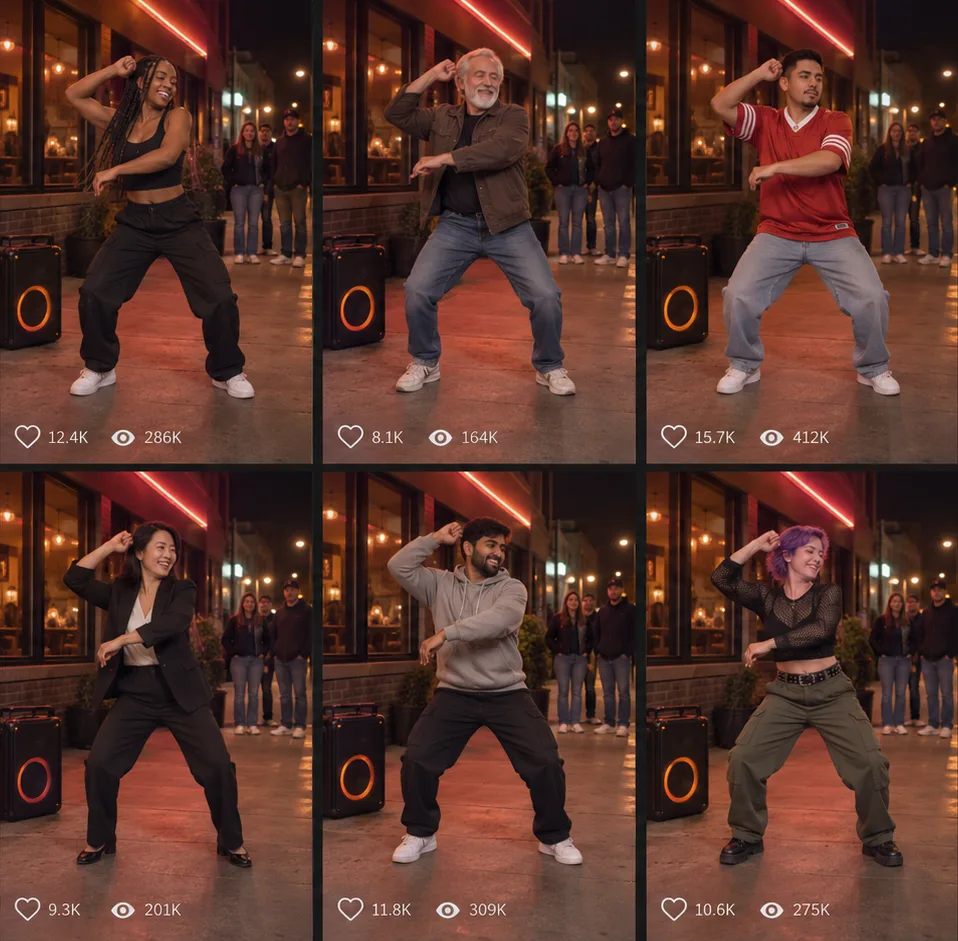
Illustration created for this article: the same scene, camera and moves, with a different performer in each frame. All people shown are fictional.
That last shift matters. A celebrity edit is something you watch. A version with your own face is something you post, send to the group chat and tag your friends in. That is what keeps a trend alive for weeks instead of days, and it is why searches for "Bulin 47 AI" quickly moved from "what is it" to "how do I make it."
What "Bulin 47 AI" Actually Means
"Bulin 47 AI" is not an official product from the artist or a single app. It is shorthand for any AI-generated version of the freestyle in which the person in the center has been replaced. There are four common ways people try to make one, and they produce very different results:
| Method | How it works | Strengths | Weaknesses |
|---|---|---|---|
| Reference-video recast | An AI video model regenerates the clip with you, guided by the original | Keeps the real moves and camera; your hair and body | Costs credits per render; complex hand motion can show artifacts |
| Face-swap app | Pastes your face over the original performer's face | Fast and often cheap | Hair, skin tone and body stay the original performer's; flicker during fast movement |
| CapCut or editing template | Cuts your photos or clips to the beat of the sound | Free and simple | Depends on someone publishing a matching template; you are not actually inside the scene |
| Text-to-video generator (Sora, Veo, Kling) | Generates a brand-new clip from a prompt and a photo | Great for original ideas | New motion that does not match the freestyle, so viewers will not read it as the trend |
For this specific trend, the reference-video recast is the method that looks most like the real thing, because the trend is defined by the original moves and camera. If the gestures and framing do not match, the audience does not recognize the meme.
How a reference-video recast works
A modern AI video generator such as Seedance can take more than a text prompt. It can accept reference images and reference video together and use them for different jobs. In a recast like this one, the roles are split roughly like this:
- Your photo defines identity: face, hair, skin tone and general look.
- The original clip defines motion and camera: the gestures, the rhythm of the performance, where the camera moves and what the scene looks like.
- The model generates new frames in which your identity performs the reference motion, instead of pasting a face onto existing pixels.
Because the frames are regenerated, the result can look more natural than a face swap: your hair moves, your proportions are yours and lighting is applied consistently. The trade-off is that the output follows the reference rather than copying it frame by frame. Background details, extra people and the exact timing of steps can differ from the original, and fast hand gestures or spins are still the hardest frames for current models.
Bulin 47 AI: A Browser Tool Built for This Template
If you want the recast approach without building a pipeline yourself, Bulin 47 AI is a site built around exactly this use case. It describes itself as an independent fan project, not affiliated with Bulin 47, Kevin Wai, their labels or any AI model provider, and it starts from a simple promise: upload one photo, pick your settings and get a vertical MP4 of yourself in the freestyle.
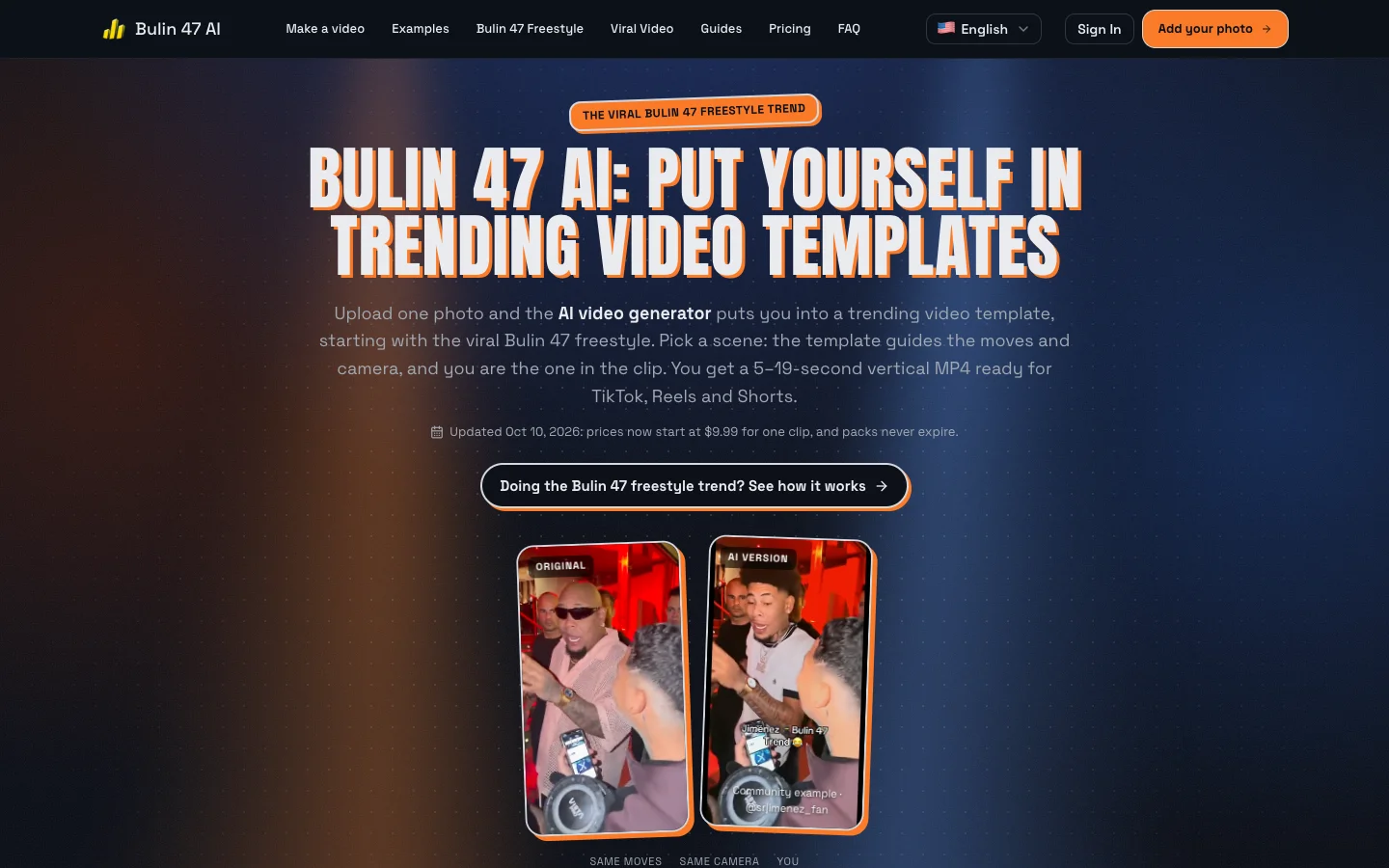
Screenshot of bulin47ai.video, captured October 12, 2026. The homepage shows the original clip next to a community AI version: same moves, same camera, different person.
Here is what the tool offers as of this writing:
- Two models. "Standard" uses Seedance 2.0 and "Extended" uses Seedance 2.5. Standard is the cheaper way to test your look; Extended costs more per clip.
- Clip length. 5, 8, 10, 12 or 15 seconds. Shorter clips use the beginning of the original performance.
- Resolution and format. 480p or 720p, in 9:16 vertical, 1:1 square or 16:9 landscape.
- Audio. After generation, the original freestyle audio is added to match the clip length. Lip sync can vary, and if audio processing fails the clip may come out silent.
- Render time. Usually around 5 to 10 minutes, longer at busy times. You can leave the page; finished clips are saved in "My Creations."
- No install, no prompt writing. Everything runs in the browser, including on mobile.
Pricing and credits
Bulin 47 AI uses credits. The cost of a clip depends on the model, the resolution and the length. A few reference points from the site:
- An 8-second Standard (Seedance 2.0) clip at 480p costs 10 credits.
- A 15-second Standard clip costs 19 credits at 480p or 42 credits at 720p.
- An 8-second Extended (Seedance 2.5) clip at 480p costs 17 credits.
One-time packs start at $9.99 for 10 credits, enough for one short Standard clip, and go up to larger packs such as 50 credits for $29. Pack credits do not expire. Monthly subscriptions are also available for heavy users. Two details make the pricing less risky than it looks: failed renders are refunded automatically, and paid downloads have no watermark. Our tip is to start with a short 480p Standard render to check how your face comes through, then spend more credits on a longer 720p version once you like the result.
How to Make a Bulin 47 AI Video, Step by Step
The site's own walkthrough is three steps. Here is the same process with the details that actually decide whether your clip looks good.
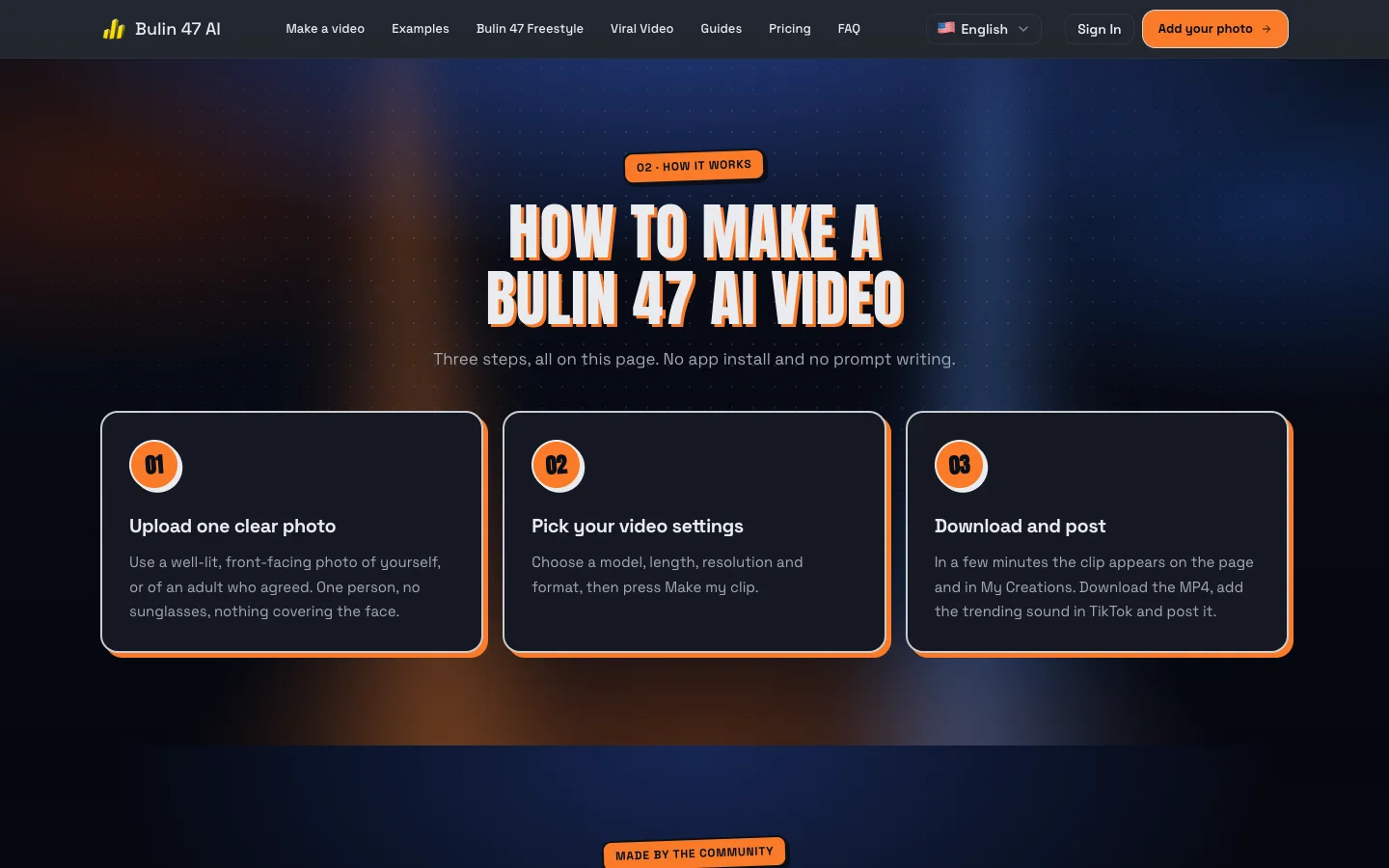
Screenshot of the "How it works" section on bulin47ai.video, captured October 12, 2026.
Step 1: Choose the right photo
The photo is the single biggest factor in the result. The model can only reproduce what it can see.
- One person only. Group photos confuse identity. The site warns you before you spend credits.
- Front-facing, eyes visible. No sunglasses, no hat brim shading your face, no hand covering your mouth.
- Even light. Daylight from a window or soft indoor light. Avoid strong backlight and harsh shadows.
- Waist-up or full body if possible. It helps the model understand your build and clothing, which carries into the dance.
- Sharp and reasonably large. Small, dark or blurry photos are the main cause of soft or "melted" faces.
JPG, PNG and WEBP all work, and the image is resized in your browser before upload.
Step 2: Pick your settings
For a first try, choose Standard, 480p, 8 to 10 seconds, 9:16. That is the cheapest way to see whether your photo works. If it does, render again at 720p and 15 seconds for the version you actually post. Use 1:1 or 16:9 only if you are posting somewhere other than TikTok, Reels or Shorts.
Step 3: Generate, review and download
Press "Make my clip" and come back in a few minutes. Before you post, watch the whole clip once with the sound on and check three things: the face during fast gestures, the hands, and lip sync. Small artifacts during spins are normal for current video models. A badly distorted face usually means the photo needs to change, not the settings. You can follow the full Bulin 47 AI video tutorial on the site for troubleshooting specifics.
Posting Your Clip: Making It Land on TikTok, Reels and Shorts
Making the clip is half the job. A few habits help it travel:
- Use the trending sound. Even though the MP4 includes the freestyle audio, attaching the platform's trending sound in TikTok or Reels connects your post to the trend page. Check that the two do not double up; mute one if needed.
- Hook in the first second. The original works because it starts mid-energy. Trim any slow start.
- Lean into the reveal. Captions like "my dad did the Bulin 47 freestyle" or a side-by-side with the original perform well because the joke is the swap.
- Duet and stitch. Duetting the original, or stitching a friend's version with yours, plugs your post into existing conversations.
- Label it as AI. TikTok, Instagram and YouTube all ask creators to disclose realistic AI-generated content, and they provide a built-in toggle for it. Turn it on. It protects your account, and in a trend everyone knows is AI, it costs you nothing.
Consent, Copyright and Responsible Use
Trends move fast, and that is when people cut corners. A few lines should not be crossed, and Bulin 47 AI's own terms enforce most of them:
- Only use your own face or the face of an adult who agreed. Putting a friend in the clip is half the fun, but ask first.
- No minors. Do not upload photos of children, even your own, to a face-recast tool.
- No public figures or impersonation. The celebrity edits helped the trend spread, but making realistic videos of real public figures saying or doing things they did not do is a different matter, and most tools prohibit it.
- Do not present it as real footage. The joke works because everyone knows it is AI. Keep it that way.
- Respect the original creators. The freestyle belongs to Bulin 47 and Kevin Wai. Credit them in your caption, and use the platform's licensed sound rather than ripping audio.
These are not just legal fine print. Responsible use is what keeps tools like this available and keeps a fun trend from turning into a deepfake story.
Why This Trend Matters for AI Video Generators
The Bulin 47 AI moment is a useful case study for anyone following AI video. Text-to-video generation gets the headlines, but this trend was powered by something more specific: reference-guided video generation, where a model reproduces an existing performance with a new identity. That capability turns any short, centered, high-energy clip into a template the whole internet can join.
Expect to see more of this pattern. The ingredients are now well understood: a raw, loopable clip, one obvious "slot" for a performer, a recognizable sound, and a tool that takes one photo and does the rest. Sites like Bulin 47 AI are already extending the idea to other trending templates. Meanwhile, general-purpose models keep getting better at the hard parts that still show up in these clips, such as hands, fast motion, lip sync and consistent identity across every frame.
If you want to experiment beyond a single template, a general AI video generator lets you write your own prompts, animate a still image or build a scene from scratch. You can see what current models produce on our showcases page. When the goal is specifically to appear in the Bulin 47 freestyle, though, a purpose-built recast tool is the shortest path from photo to post.
Frequently Asked Questions
Is Bulin 47 AI official?
No. Bulin 47 AI at bulin47ai.video is an independent fan-made tool. It is not affiliated with or endorsed by Bulin 47, Kevin Wai, their labels or the companies behind the AI models it uses.
Is Bulin 47 AI free?
Not entirely. Each render uses paid AI video credits because video generation is expensive to run. Packs start at $9.99, credits do not expire and failed renders are refunded automatically.
Can ChatGPT make a Bulin 47 AI video?
Not directly. Chat assistants can help you write captions, plan hashtags or improve the photo you plan to use. They cannot place you inside an existing video. Text-to-video models can generate a new dance, but the motion will not match the freestyle, so it will not read as the trend.
How long does a Bulin 47 AI video take to render?
Usually about 5 to 10 minutes, and longer during peak demand. You can close the page and pick the clip up later from your saved creations.
Does the clip include the Bulin 47 freestyle audio?
Yes. The original freestyle audio is added after generation and trimmed to your clip's length. Lip sync is not always perfect, and you can also attach the trending sound inside TikTok or Reels when you post.
Can I put a friend or my parents in the video?
Yes, as long as they are adults and they have agreed. Do not use photos of minors or public figures.
The Bottom Line
The Bulin 47 freestyle went viral because it was raw, short and impossible not to replay. It became an AI trend because its composition gave everyone a clear spot to step into, and modern AI video generators can now fill that spot convincingly from a single photo. If you want to join in, choose a sharp, front-facing photo, start with a short test render, label your post as AI and keep it consensual. If you want the most faithful version of the template, make your own Bulin 47 freestyle clip on the purpose-built site and see how you look in the middle of the crowd.